
Probability becomes easier when you know which functions to use on your TI-84 calculator. The calculator has several functions that can simplify probability and distribution problems. Therefore, if you need to calculate combinations, permutations, binomial probabilities, and normal distribution values, the ti graphing calculator can assist you.
Moreover, you can practice using the TI 84 calculator online on certain websites. This article will provide you with the necessary information regarding the most commonly used functions in relation to probability and when it is appropriate to use them.
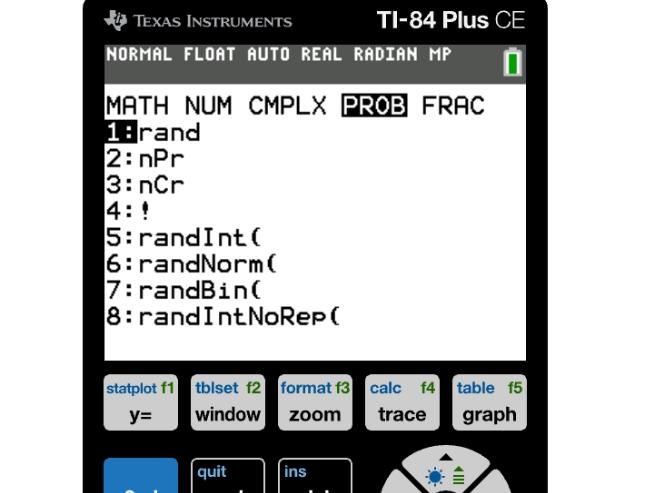
The TI-84 has a number of probability functions stored in the MATH menu. Press the MATH button to open the menu, then select PRB. You will see a list of functions including combinations, permutations, factorials, etc. These can be useful for a number of probability calculations.
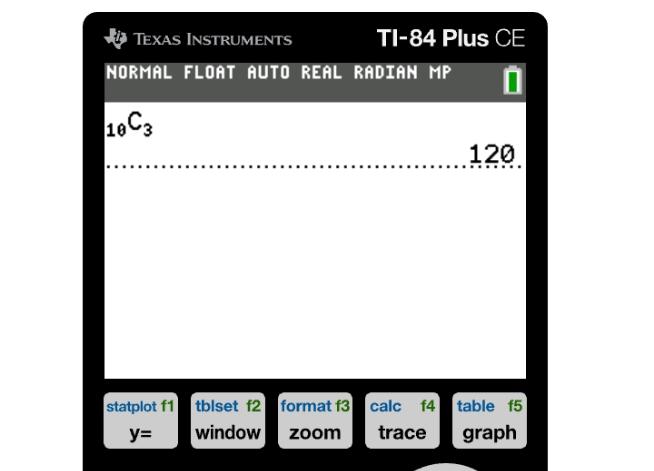
nCr calculates combinations when order does not matter. nPr is used to calculate permutations, or the number of ways to arrange k things from a set of n things, when order does matter.
Function | Use | Example |
nCr | Combinations | 10 nCr 3 |
nPr | Permutations | 10 nPr 3 |
! | Factorial | 5! |
rand | Random decimal | rand |
randint( | Random integers | randint(1,10) |
A binomial distribution applies when each trial has two possible outcomes. Coin flips and pass/fail experiments are common examples of this. The ti84 has two useful binomial probability functions.
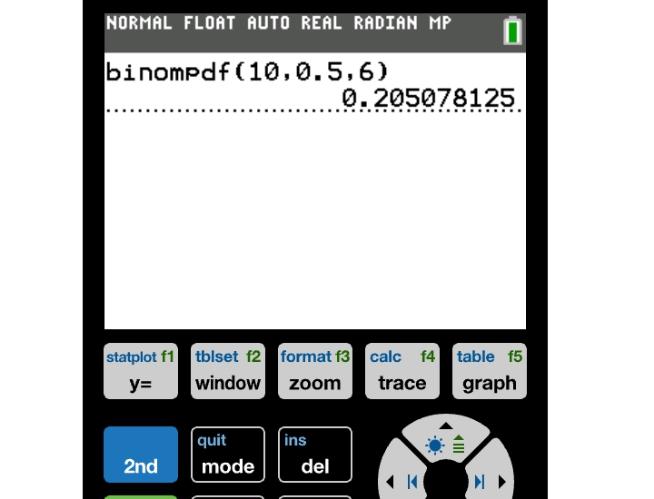
binompdf( gives us the probability for a single value of x and binomcdf( is used to find cumulative probabilities up to a certain value. For example, if we wanted to find out how likely it is that we get exactly 6 heads in 10 coin flips, we could use the command binompdf(10,0.5,6).
However, if we wanted to find the probability of getting 6 or less heads in 10 coin flips, we would instead use the command binomcdf(10,0.5,6).
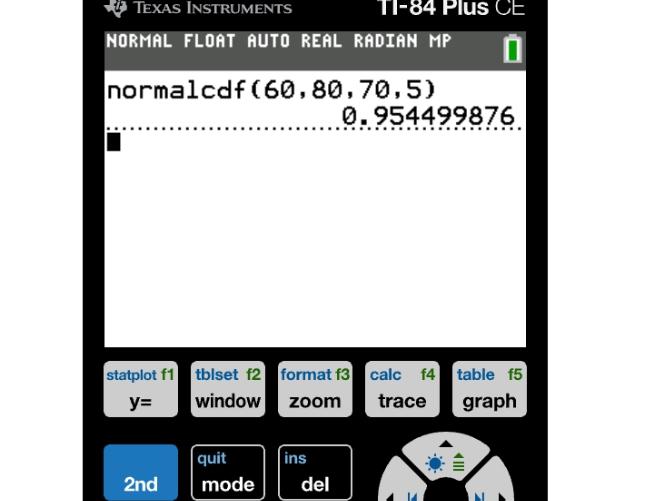
Normal distributions are often used in statistics and probability. Normalcdf( is a function commonly used on calculators, such as the TI-84 calculator, for calculating these probabilities. To access normalcdf, press 2nd, then VARS to open the DISTR menu, then select normalcdf(.
Inside of normalcdf, the user must enter the lower bound, upper bound, mean, and standard deviation of the data set, in that order.
After this, the user can press ENTER to get the probability. You can enter the original values directly without calculating z-scores first.
Sometimes you know the probability, but you need to find the value that corresponds to it. Using a graphing calculator, we can use the invNorm( function to find the value corresponding to a certain percent. First, press 2nd → VARS to open the DISTR menu, then select invNorm(. Next, you will need to enter the area, mean, and standard deviation.
Once that is all entered in, the calculator will give you the value that corresponds to that percentage in a normal distribution. This function is helpful when it comes to percentiles, as well as cutoff scores.
The ti 84 graphing calculator has several other statistical distributions. These include t, chi-square, F, Poisson, and geometric. You will want to choose the distribution based on what the question is asking. Always read the question carefully. The Poisson functions are used for counting, while the geometric functions are about trials until the first success.
Not everyone can find a calculator on hand when they need one for homework. With an online TI-84, you can practice doing problems right on your browser. There are also many probability functions that are on a regular TI-84 graphing calculator, so you can be familiar with what those buttons do when you have access to the real thing.
A ti84 online can also help you practice these functions. Another benefit is that it has the same menu structure as a physical calculator, so you can get used to that too.
By using the ti 84, many of these probability and distribution functions can be performed quickly and easily. Combinations, binomial probabilities, and values for normal distributions can all be calculated. The TI-84 distribution menu also has a number of other advanced functions. With a little practice, you'll be whizzing through probability problems in no time.
Open the MATH menu for combinations/permutations, or the DISTR menu (2nd → VARS) for distribution functions like normalcdf and invNorm. Then select the appropriate function.
binompdf is used to determine a single binomial probability. This function is appropriate when the question specifies an exact number.
This is done using the normalcdf function. From your calculator’s DISTR menu, choose normalcdf. Next, enter the lower bound, upper bound, mean, and standard deviation.
You can also use an online Texas Instruments ti-84 for many probability calculations.
invNorm is short for inverse normal cumulative distribution. It works backward from normalcdf — instead of giving you a probability, it tells you the value (like a test score or cutoff) that corresponds to a given percentile.
TI-84 Calculator Online, along with the TI-83 Plus, TI-89 CAS graphing calculator, online graphing calculator and TI-30XS scientific calculator, provides students with versatile digital tools for solving equations, plotting graphs, and handling complex math problems. These calculators can be used directly in any browser without installation, making them perfect for math and science students looking for quick and easy solutions.


© 2026 — Revision. All Rights Reserved.